Does anyone use LibreOffice here instead of Microsoft Office?

Kerwin

Free Member
Dec 1, 2018
894
188
First of all, I am well aware of the fact that Microsoft 365 includes loads of stuff and isn't just Microsoft Office but for the sake of this post I'll take Word, Excel, and PowerPoint to mean Microsoft Office and LibreOffice in comparison.

I've switched over to a Mac and I'm finding that from my brief trial period LibreOffice seems to do most of what I want from an office suite and Microsoft Office supports both native LibreOffice files as well files saved in LibreOffice in Microsoft Office format so I can still work with people using Microsoft Office.

Have you ever considered moving over to LibreOffice?
 
When I used to work by myself I used OpenOffice (which is basically the same) and my desktop OS was Linux (Slackware). As a lone worker that suited me fine.

Now we still use headless LibreOffice for document management in our software we build, but for the office working environment and for the same reasons mentioned by @Mark T Jones, we use Office365 for our working tools ... and we we're an entirely Mac based business. It just works, not experienced any bugs mentioned above, and makes collaboration and adoption by new stuff one less thing to have to think about when recruiting or day-2-day working with clients/suppliers.
 
Upvote 0
I found too many issues with document formatting when opening Word docs last time I tried Libre Office.
 
Upvote 0
Ozzy said:
When I used to work by myself I used OpenOffice (which is basically the same) and my desktop OS was Linux (Slackware). As a lone worker that suited me fine.

I used OpenOffice many years ago. IIRC, I started with the Sun Microsystems version, which I think was the first version, wasn't it?

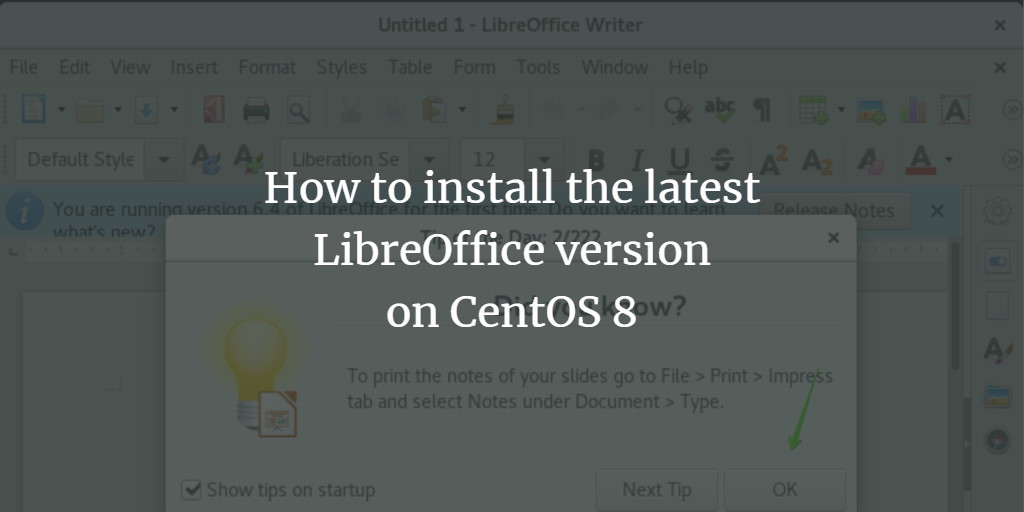
This was later branched to offer the LibreOffice version. I had the full suite on my CentOS 6. When I moved on to CentOS 8 last year, it became slightly more troublesome to install the full suite, so up until a few minutes ago I was using only what I really need - LibreOffice Calc (spreadsheets) and LibreOffice Draw for diagrams.

Have just got around to installing the full suite thanks to this thread - Base, Calc, Draw, Impress, Math, Writer; I didn't know there were so many! :)

In general, Linux developers do things for love before money, whilst Microsoft do things for money before love. This is why Microsoft give you all the little extras to make things like installation easier, so I can appreciate why many people use Microsoft. :)

PS: Installation is much easier now. If anyone ever needs to install LibreOffice, I used the following instructions:


I received an error message about repositories or something, but found a solution here:

 
Upvote 0
IIRC, I started with the Sun Microsystems version, which I think was the first version, wasn't it?
It was the first open source version. The original code came from a previous proprietary piece of software called Star Office.

I have been using Open Office and Libre Office since I swtiched to Linux, about 20 years ago, and have had problems with formatting that I noticed once or twice. Then again most documents get from other do not need prrfect formattting.

If I send completed documents to other people I send a PDF.

When we need to jointly edit a document most people I work with seem to use Google Docs.
 
Upvote 0
I am using Libre on a Surface Pro for work, I use open office on my personal pc and Google docs on a Linux laptop I use for Rugby admin. My children have installed MS Office but that is actually an old retail copy I was given at a MS event and that has a licence to be used on 3 machines - as it is simpler for them to have what they have at school.

Only issue i ever have is some docx or xlsx files using some fancy functions that don't open well in google write/sheets - no issue with Libre ever
 
Upvote 0
LOL at you lot! :) This is my kind of town! We could form a band like The Travelling Wilburys or something, only for software, tech, etc.! :)

I vote fisicx on the leaderboard of retros so far for his MS Works on 6 floppies! I honestly just never heard of that one! I still have MS Works on CD - and the HP Pavilion (with its huge 1 GB disk) to go with it!

Something else nobody has mentioned yet, which I did once or twice before Excel - Lotus 1-2-3! :cool:
 
Last edited by a moderator:
Upvote 0
For most users, there are not many reasons to choose the Microsoft offering over LibreOffice. The only ones I can think of are
  • The ability to run macros and/or downloadable add-ins for Microsoft products. If you don't know what those are, the chances are you don't need them.
  • You are in a large office that wants to run everything on Azure or Sharepoint.
  • Most templates etc are designed around the Microsoft products, so you may not be able to use some.
File compatibility wise there is nothing to separate them and it is not much of a worry these days.
 
Upvote 0
A lot depends on your business. If there is lots of collaboration and team working then MS office makes sense. But if it’s just a couple of people carrying out very simple admin work libre office is usually sufficient.

I’m on my own and use it for quotes and reviewing specifications. Don’t need any thing else.
 
Upvote 0
And Locoscript on an Amstrad PCW?

Those were the days.
I raise you Vu-Calc on the ZX-81 (we ran our farm accounts and also had a system for fertiliser application that used the spreader setting and the gear the tractor was in to estimate usage in lb's per acre)

I am actually holding the audio cassette of it in my hand (it is written by Psion c1982)
 
  • Like
Reactions: KM-Tiger
Upvote 0
Upvote 0
For most users, there are not many reasons to choose the Microsoft offering over LibreOffice. The only ones I can think of are
  • The ability to run macros and/or downloadable add-ins for Microsoft products. If you don't know what those are, the chances are you don't need them.
  • You are in a large office that wants to run everything on Azure or Sharepoint.
  • Most templates etc are designed around the Microsoft products, so you may not be able to use some.
File compatibility wise there is nothing to separate them and it is not much of a worry these days.

A lot of people know MS Office, not the others so people don't always know how to do things in Libre.

And I've had plenty of spreadsheets that don't open properly in Libre.
 
Upvote 0
And I've had plenty of spreadsheets that don't open properly in Libre.
You need to save your Excel spreadsheet into OpenDocument Spreadsheet. It has the .ods file name extension and is supported by both Excel and LibreOffice Calc.
 
Upvote 0
You need to save your Excel spreadsheet into OpenDocument Spreadsheet. It has the .ods file name extension and is supported by both Excel and LibreOffice Calc.

I'm talking about spreadsheets that I am sent that are .XLSX and need to use that don't format correctly in Libre when you open them. It's caused issues on more than one occasion and would not want to reply on it for that reason.
 
Upvote 0
The two most popular pre Windows word processors were Wordstar and Wordperfect.
Early versions came without a 'Page Preview!' Wordstar also needed lots of 'Dot Commands' before even typing any content. I still occasionally use an Olivetti Lettera 44 and a First Edition IBM Selectric! True 'WYSIWYG!'
 
Upvote 0
Because WordPerfect used loads of keyboard shortcuts I got used to doing everything without a mouse. Even now I use the keyboard far more than a mouse.

I watch people laboriously use their trackpads to move the pointer to select a chunk of text and then find the buttons to cut/copy/paste. Using keyboard shortcuts it’s so much simpler.
 
  • Like
Reactions: Bob Morgan
Upvote 0
Because WordPerfect used loads of keyboard shortcuts I got used to doing everything without a mouse. Even now I use the keyboard far more than a mouse.

I watch people laboriously use their trackpads to move the pointer to select a chunk of text and then find the buttons to cut/copy/paste. Using keyboard shortcuts it’s so much simpler.
Sounds like you'd love Vim and emacs.
 
Upvote 0
For those who work with complex and bigger filer it makes sense to get an Office license. Libre is for very basic needs.
And for most people those basic needs are quite sufficient. I’d also suggest libreoffice has a far better UX/UI. It hasn’t got the dreadful ribbon for starters.
 
  • Like
Reactions: bodgitt&scarperLTD
Upvote 0
I tried my staff on Libre a while back and got nothing but moans.

Ended up going back to Office 365.
 
Upvote 0
I tried my staff on Libre a while back and got nothing but moans.
That's a classic 'it doesn't work like we are used to' syndrome.

By using open source software like the *Offices on a Linux PC, businesses could save money and, possibly, increase security, but we all love a PC or Mac!
 
Upvote 1

Latest Articles