Adding a text box to pictures for a slideshow

Pet Nanny

Free Member
May 4, 2007
1,236
88
Dorset
I am looking to add text boxes to pictures for an advert I am putting together as a slideshow.

I dont think that that you can do this on microsoft office picture or paint. I dont think that having text on the pictures themselves will work, so an actual text box next to the picture would be far clearer.

If anyone has suggestions I would be extremely grateful :)
 

fisicx

Moderator
Sep 12, 2006
46,777
8
15,424
Aldershot
www.aerin.co.uk
Where is this advert going to be published?

You do know that sliders are are really ineffective way to do anything (unless it's a gallery of dogs or whatever).
 
Upvote 0

Pet Nanny

Free Member
May 4, 2007
1,236
88
Dorset
Its for a carousel on FB and I have used them previously for recruiting and they have worked really well. The trouble is that I wanted more text to explain what the work is all about and the benefits and yesterday one of my competitors has done just that by using a picture with a text box incorporated at the side and I think 'Canva', may work. All I need now is a good catchy headline. Someone posted a link here a while back where you can research headlines but I didn't save the link!
 
Upvote 0

fisicx

Moderator
Sep 12, 2006
46,777
8
15,424
Aldershot
www.aerin.co.uk
OK, got it now. In which case you really need a decent image editor. I bet if you asked here someone would do it for you.

As to headlines, you need a clickbait type thing. A sort of: 'How to make friends with a dog and get paid for it'
 
Upvote 0
The answer is both easy and difficult.

You can register as a user with Adobe and then go to their 'Other Downloads' page and download everything (and I do mean everything - it's massive!) in Creative Suite 2 (aka CS2). So the ten-year-old version of Photoshop can be yours for free!

An easy-to-use and all-in-one package would be Magix 'Photostory' for thirty quid http://www.magix.com/gb/photostory-on-cd-dvd/detail/
 
  • Like
Reactions: Pet Nanny
Upvote 0

Pet Nanny

Free Member
May 4, 2007
1,236
88
Dorset
Okay so someone suggested I try Canva and I spent most of the morning doing three ads which I think look pretty cool. Now, they all have a water mark, so I guessed I would need to pay for them. Problem is, it looks like they want me to pay a monthly fee, when all I want is the odd one of two ads! Problem is they do not have an email address so I can contact them. My concern is that if I put my bank details onto their site, what is to stop them charging me a monthly fee? Has anyone used Canva before?
 
Upvote 0
S

Steve Alphabet

Okay so someone suggested I try Canva and I spent most of the morning doing three ads which I think look pretty cool. Now, they all have a water mark, so I guessed I would need to pay for them. Problem is, it looks like they want me to pay a monthly fee, when all I want is the odd one of two ads! Problem is they do not have an email address so I can contact them. My concern is that if I put my bank details onto their site, what is to stop them charging me a monthly fee? Has anyone used Canva before?

Canva rocks, you can easily create a high quality one for free. If you don't see a free one you like, import one from a site like pexels.com and job done :)
 
Upvote 0

Pet Nanny

Free Member
May 4, 2007
1,236
88
Dorset
Canva rocks, you can easily create a high quality one for free. If you don't see a free one you like, import one from a site like pexels.com and job done :)
I thought it was free, but I did use one of their templates and just inserted text and pics. I have NEVER found anything so easy and for me that is saying something.
I have just done three designs, but having heard that FB does not like text I am beginning to think it may have been a waste of time!
I tried to download the designs but it has the watermark on it, so I guess I need to pay which I don't mind but its just not clear how to pay. It looks like you have to be subscription!
 
Upvote 0

fisicx

Moderator
Sep 12, 2006
46,777
8
15,424
Aldershot
www.aerin.co.uk
Christmas backgrounds? And your logo is horribly pixelated. And you can't read anything on a phone. And you really need your contact details on every image.

Sorry for the negativity :(
 
Upvote 0

Pet Nanny

Free Member
May 4, 2007
1,236
88
Dorset
Christmas backgrounds? And your logo is horribly pixelated. And you can't read anything on a phone. And you really need your contact details on every image.

Sorry for the negativity :(
I have already changed the logo and didnt realise it was a Christmas background (stoopid person). I have also removed the hashtags since I doubt they are really appropriate for a FB advert. In all honesty, what I thought was a darn good effort, looks to be pretty abysmal :( Does anyone on the forum do adverts. May be worth paying someone who knows what works best rather than trying to do it myself!
 
Last edited:
Upvote 0

Pet Nanny

Free Member
May 4, 2007
1,236
88
Dorset
I think the ad I love and saw on FB was done as a separate entity and then promoted. That would explain all the text. Much larger company than ours with a much larger budget. I think the main thing is to have a punchy tag line and good images, so I am going to work on Canva now. Thank you so much for everyones input :)
 
Upvote 0

websensejim

Free Member
Jul 22, 2015
79
16
Edinburgh
Canva is really good and the free version is all you need. Any resizing or anything else you need to your Canva image you can do on any decent image tool. I use Pixlr, and find it really easy (I have zero graphic design skills) to use, its also free. An alternative to Canva is Snappa - it too has all the social media image templates.

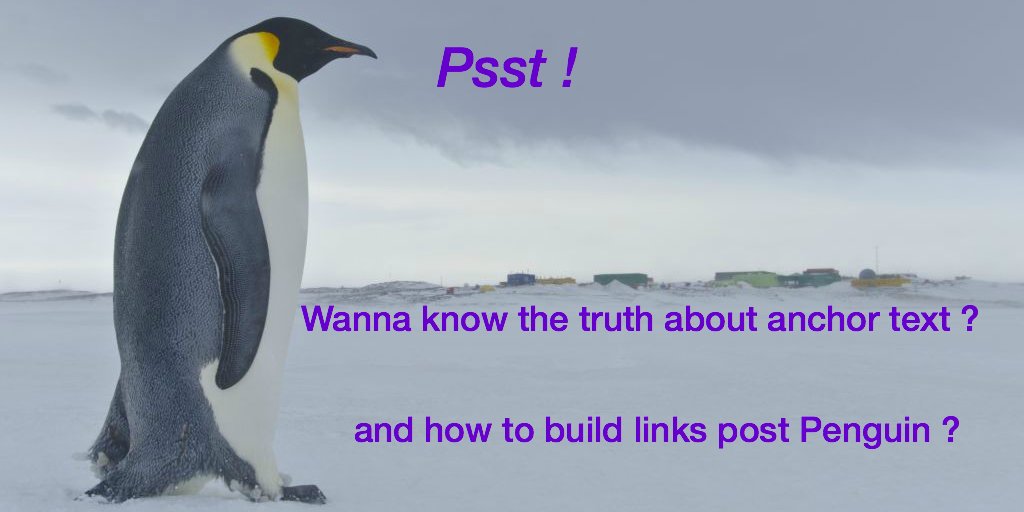
Here's one I did on Snappa and Pixlr. Took me less than 10 mins.

C44ME1hWAAEVOUe.jpg:large
 
  • Like
Reactions: Pet Nanny
Upvote 0

Latest Articles