Canvas Mockup Generator

Freakzilla

Free Member
Jun 28, 2015
69
8
Hi Guys,

I don't think my question really fits this forum, but I'll try anyway.

I'm looking to create a website to sell Framed Canvas Art. The images are licenced. I have images of the products, but I need to show how they will look as canvases, if this makes sense. I've had a look at some canvas Mockup files, in which you use Photoshop. My Photoshop skills are extremely basic.

I wondered if anyone had any ideas on how I can transform the images to a Canvas Mockup.

Thanks
 
I wondered if anyone had any ideas on how I can transform the images to a Canvas Mockup.
Pay someone to do it for you. It's something they can probably do in a couple of hours. I recommend @Paul Murray
 
Upvote 0
Why not go old school and just do the canvases and take a picture of them so people can see what they actually look like?
 
Upvote 0
I found this by googling online canvas effect image editor


Very easy - upload photo - go to 'Filters>MoreTextured Filters>Canvas'

Job done

Thanks, but I was looking for it to show the edges and shadowing a canvas would have on a wall or background. I can't post a link as I haven't got enough posts.
 
Upvote 0
Thanks, but I was looking for it to show the edges and shadowing a canvas would have on a wall or background. I can't post a link as I haven't got enough posts.

Pay a graphics person will be the best way then.

...edit...

just saw you have 10,000 - do you want them all converted?

If so what you will probably be best to create a n image that has the framing effect and wall and a semi transparent layer. Then your web developer could overlay this onto the 'raw' image when rendering the page. Definitely need a graphics pro to advise. The alterative would be some sort of batch conversion, 10,000 isn't a manual job.
 
Upvote 0
Pay a graphics person will be the best way then.

...edit...

just saw you have 10,000 - do you want them all converted?

If so what you will probably be best to create a n image that has the framing effect and wall and a semi transparent layer. Then your web developer could overlay this onto the 'raw' image when rendering the page. Definitely need a graphics pro to advise. The alterative would be some sort of batch conversion, 10,000 isn't a manual job.
Probably don't do the above, you'll be forever uploading photos.

Get a developer like ourselves to create a script that does this on the front end of your website and then it would be easy to change the effect for all images in future.
 
Upvote 0
Probably don't do the above, you'll be forever uploading photos.

Get a developer like ourselves to create a script that does this on the front end of your website and then it would be easy to change the effect for all images in future.

Can you do this for Shopify?
 
Upvote 0
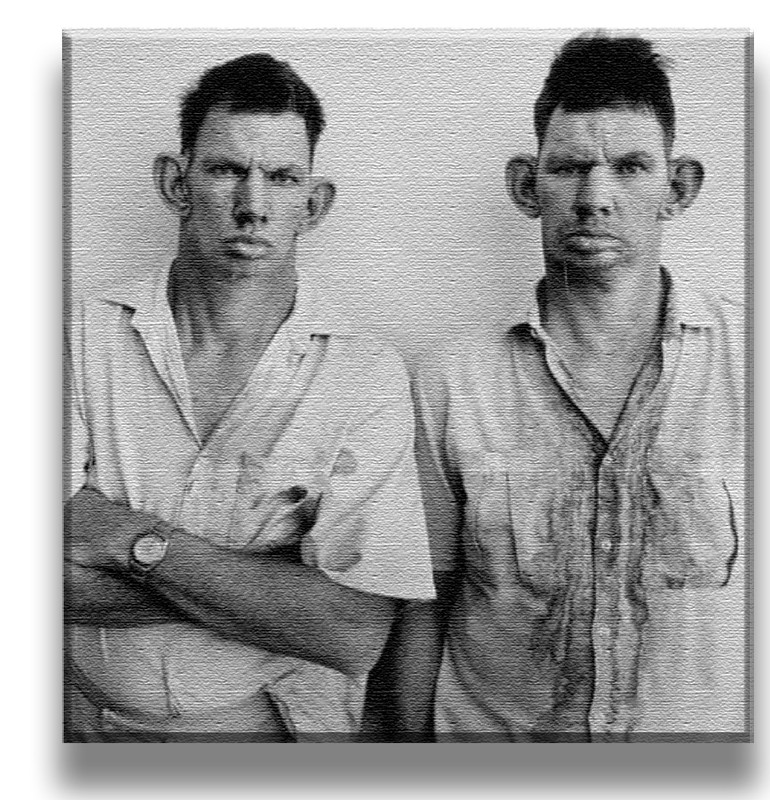
Here's a photo of me & my brother with a canvas + bevel/contour effect (all done in photoshop .... filter - filter gallery - texture - canvas ...I then added a bevel using the layer - blending option & a little bit of drop shadow - took all of 90 seconds)..


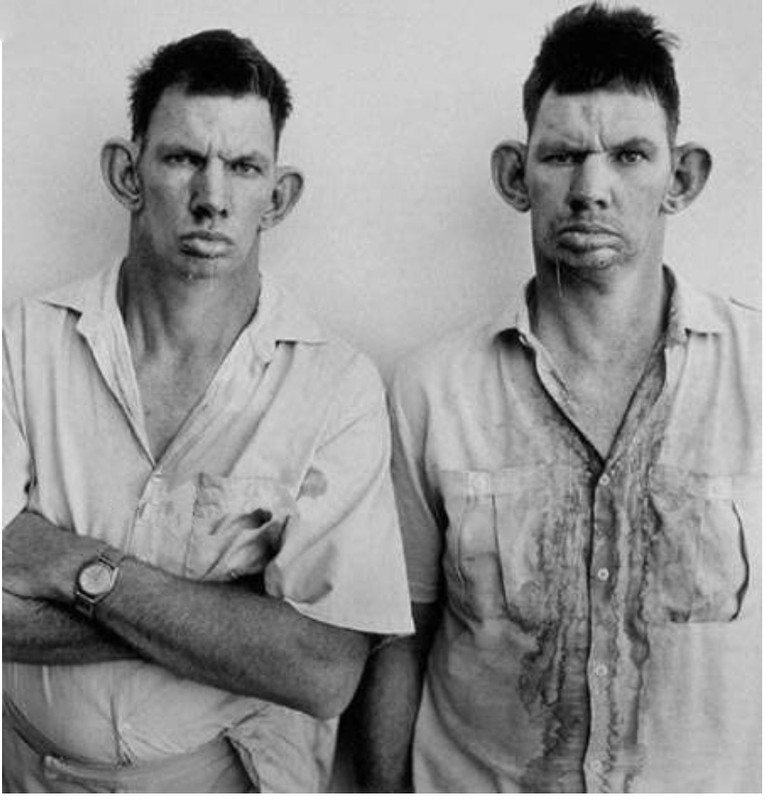
here's the original (we really must club together & by our dear old mum some better washing powder)...


...the thing is, photoshops will do 10,000 in a batch process - so I reckon that's got to be your way forward - so worth persevering & having a dabble.
 
Last edited:
Upvote 0
I run a company called Canvas Art Rocks. We could help with image mock ups (we currently have about 15k different images on our site)

If you are out sourcing the production we can also beat any quote you are currently getting.

Thanks

Ryan
 
Upvote 0

Latest Articles