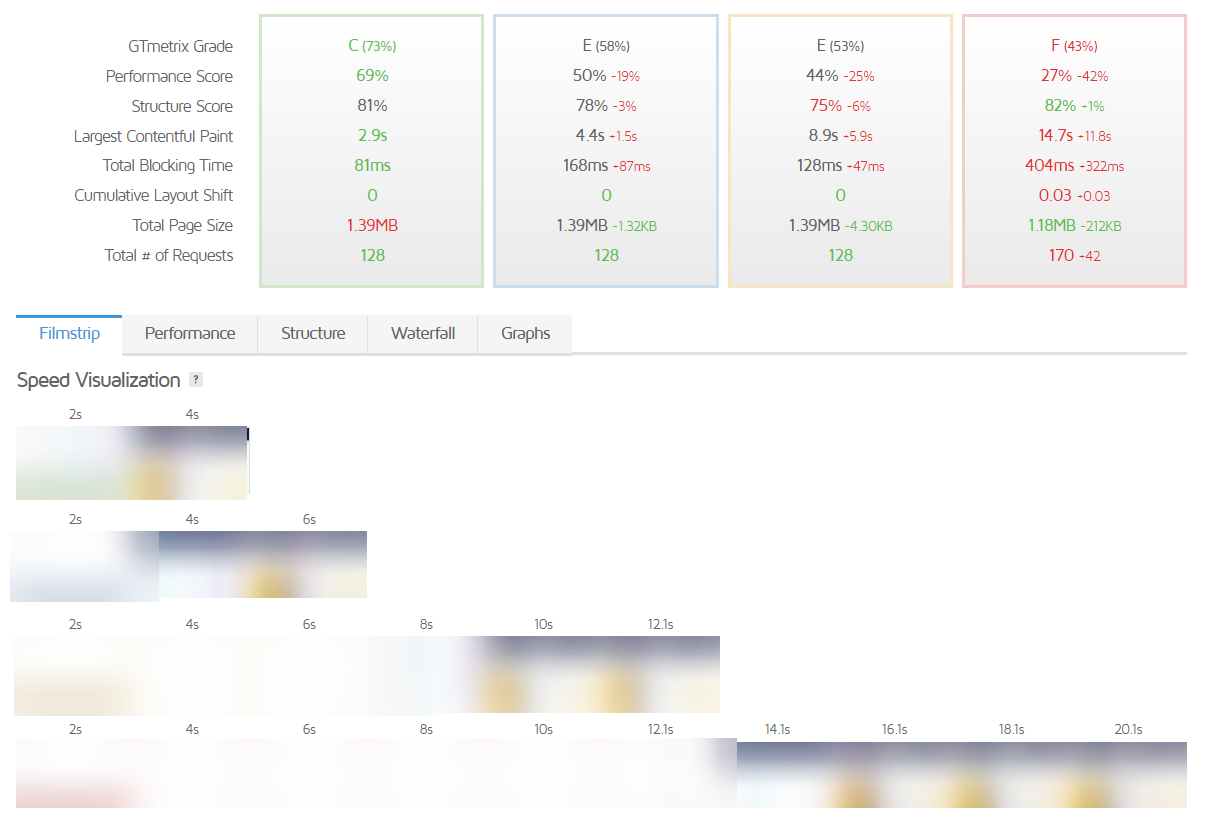
It would be good to know if we are doing something wrong or if it's just WordPress because we would like to try using it a little more for certain projects.
I also used it to develop our Intranet of Process Manuals and again it's awfully slow to load any page. Again very little customisation.
I noticed WordPress loaded very slow on all the so-called Top 10 Web Hosts and many VPS mostly because they throttle resources too much or the hardware is very old CPU/processor/wise.
I used to use Elementor and noticed it took ages to edit the text in the WordPress Admin editor and so I even redesigned the page without a design plugin and using only the default WordPress editor. This made the code much cleaner and the page would update and publish quicker.
Not stopping there, I did a simple test of switching only the processor from VPS to a better one with everything else being the same and it made the page load around 1 second faster! That's without messing about with CDN, caching, changing code etc. The code just executes quicker because of the better/faster CPU alone.
Check this one
https://shared-micro-coventry-uk.mytestserver.org/
Hosted on AMD Ryzen 7900X with DDR5 4800 MHz memory and it loads the default WordPress page as low as 40miliseconds from network tools in Chrome browser.
Also,
https://gtmetrix.com/reports/shared-micro-coventry-uk.mytestserver.org/HdY8uuJp/
Shows 192ms
The plan is only £2.95/month! The pages/posts update instantly without any delay! Can get slightly quicker than that on higher-tier plans.
A lot of providers can't manage that even when paying them £50-£400/month! Too funny.
WordPress can be fast as long as go through the things I mentioned in the previous post. Obviously, when you start adding custom plugins/themes that can slow things down, but the code from them is from the developers who make the plugins/themes, not WordPress core files. If some plugins/themes are slower because of sloppy coding can't blame that on WordPress, and I'm not saying you are saying that
@antropy but many do think that's the case.
In short,
1. Use a fast CPU/processor as possible
2. NVMe SSD storage
3. LiteSpeed Web Server and LSCache if using WordPress
4 Have decent CloudLinux LVE limits. For example, a lot of web hosts using CloudLinux will limit Disk IO to something silly like 1 to 5MB/s and that causes the web pages/cronjobs to load/finish much slower.
5. Try to use as few plugins as possible. For example, many try to use alternative caching plugins instead of using LScache. LScache is best used on LiteSpeed Web Server and is included free so you don't have a free version and are forced to pay extra to use the full functionality of the plugin. The same also applies to custom security plugins, don't use them if you can help it; instead, use the security from the provider who uses Imunify360. Use the resources from the server itself, not resources from your own account/website as the WordPress plugin will process caching/security stuff slower than the server will, thus, slowing your website/pages down.
Hmm, yeah, those will do for now. I was going to add more but a bit busy.
Hope it helps.