- Original Poster
- #1
Hi,
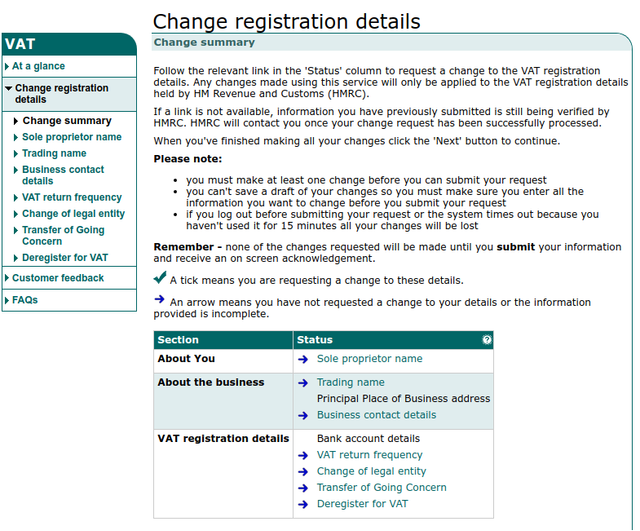
I'm just about to move into a new unit and need to change my VAT registered address however when I go on to the HMRC website I can change my Payroll address however when I try to change the VAT registered address the option shows on the screen but in black and that's because there is no hyperlink for it. I updated by payroll address last week and that change is now showing on my account and I'd hoped it would update the VAT as well as the option wasn't there however it hasn't. I've found form VAT484 which seems to allow this however I have to print the off and send it to them by snail mail. Is there really no online way to do this change?
Thanks
I'm just about to move into a new unit and need to change my VAT registered address however when I go on to the HMRC website I can change my Payroll address however when I try to change the VAT registered address the option shows on the screen but in black and that's because there is no hyperlink for it. I updated by payroll address last week and that change is now showing on my account and I'd hoped it would update the VAT as well as the option wasn't there however it hasn't. I've found form VAT484 which seems to allow this however I have to print the off and send it to them by snail mail. Is there really no online way to do this change?
Thanks