Bookkeeping software for Multi-Currency?

sampsonzak

Free Member
Jan 30, 2020
22
0
Hi all, I have run into a nightmare trying to get my accounts/self assessment up to date and accurate.

Everything was going well until I tried to link my PayPal account (which has dealt in 8 different currencies).

I am using QuickBooks Online, and now I am completely stuck:

* Every non-GBP transaction, I need to manually review the exchange rate and confirm.


So the payment comes in (in a seperate currency account), I need to manually approve every entry. Then I need to manually approve every "currency conversion" transaction (created with every transaction).

Is there any software/accounting/bookkeeping that works well with PayPal? Right now, I have to export CSV files for each currency at a time, and to be honest I have no idea if I need to:

* Import just the net income
* Import the fees seperately?


I am wondering, am I able to instead of recording thousands of transactions, in multiple currencies and confirming them .. Can I not just put in one record, with 1 number of my total net sales from PayPal, refunds, disputes and fees under GBP at the local exchange rate?

I have no idea what to do. It is a massive mess since QuickBooks is so awful with multi-currency, and doesn't sync PayPal. I have tried Xero, Pandle, Quickbooks Online, Quickbooks Self Employed and wasted countless hours trying to get this to make sense..
 

sampsonzak

Free Member
Jan 30, 2020
22
0
There is nothing wrong with doing a daily/weekly/monthly summary. Enter sales gross and show Paypal charges separately.

Is that allowed with HMRC? I had no idea and this would help me immensely and make this so much easier to do.

Would I be allowed to ignore the currency, and do monthly transactions of all currencies merged into one (at the HMRC monthly exchange rate)? - instead of having 8 accounts with different currencies, just keep one as GBP with all income & fees?

Thank you!
 
Upvote 0

MyAccountantOnline

Business Member
Sep 24, 2008
15,219
10
3,303
UK
myaccountantonline.co.uk
@sampsonzak FreeAgent has a great PayPal import and does an automatic currency conversion. I have several clients who use it with muliti currencies.
 
Upvote 0

sampsonzak

Free Member
Jan 30, 2020
22
0
@sampsonzakhas a great PayPal import and does an automatic currency conversion. I have several clients who use it with muliti currencies.

I have just signed up to try this, but it doesn't look like it will automatically import my last year's transactions - it's asking for me to upload a statement.

Looking into it: FreeAgent will only import PayPal transactions that are in the relevant currency for each of your PayPal accounts in FreeAgent, so all your foreign currency transactions will feed through to their respective accounts separately.


How does it automatically convert currencies if it requires different accounts for each currencies? That makes no sense?
 
Upvote 0

MyAccountantOnline

Business Member
Sep 24, 2008
15,219
10
3,303
UK
myaccountantonline.co.uk
I have just signed up to try this, but it doesn't look like it will automatically import my last year's transactions - it's asking for me to upload a statement.

Looking into it: FreeAgent will only import PayPal transactions that are in the relevant currency for each of your PayPal accounts in FreeAgent, so all your foreign currency transactions will feed through to their respective accounts separately.


How does it automatically convert currencies if it requires different accounts for each currencies? That makes no sense?

If you accountant uses FreeAgent ask them to assist you it does work and can be done.

Alternatively if you contact FreeAgent support they will explain how it works.
 
Upvote 0
A

arnydnxluk

Xero works well with multiple currencies. Each PayPal sales currency appears as a separate account and is reconciled in its own currency. This isn't great if you only have one currency balance in PayPal because there's a transfer transaction for each sale into GBP. However if you create separate currency balances in PayPal and either transfer between them manually or set up, say, a weekly automatic transfer of all balances into GBP, then you only need to reconcile a transfer between currencies once every so often in Xero.
 
Upvote 0
Sep 18, 2013
6,688
3
1,546
Colchester
From the FreeAgent Website

Foreign currency transactions

FreeAgent can account for any income you receive through foreign currency PayPal transactions.

If you’ve set up your PayPal account to automatically convert foreign currency transactions into your FreeAgent base currency*, you should set up a single PayPal account in FreeAgent in that currency. You can do this by navigating to Banking and choosing ‘PayPal’ from the ‘Add new’ drop-down menu and completing the account details. Your converted transactions will then import and will be posted to your accounts as normal.

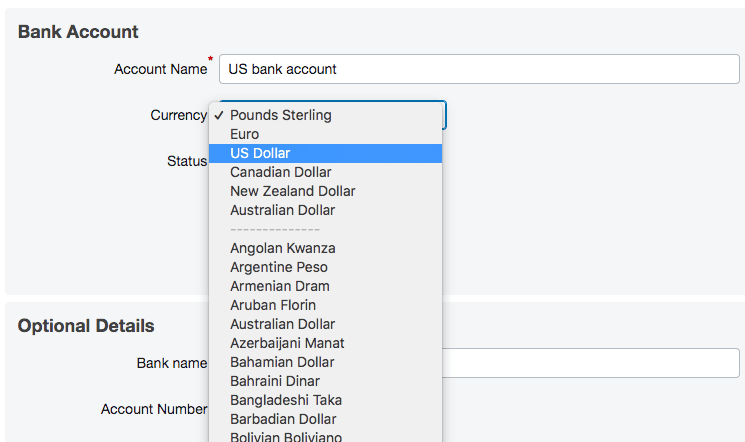
If you hold multiple foreign currency balances in PayPal, you will need to set up separate accounts in FreeAgent (one for each currency) and choose the appropriate currency when you complete the details for each account.

KB-Int-OP-PAS-08-Final.png


FreeAgent will only import PayPal transactions that are in the relevant currency for each of your PayPal accounts in FreeAgent, so all your foreign currency transactions will feed through to their respective accounts separately.

How FreeAgent accounts for foreign currency transactions
FreeAgent automatically accounts for your foreign currency PayPal transactions in the base currency of your FreeAgent account, using the latest exchange rate on xe.com. This means that the figures on your accounting reports (such as your balance sheet and profit and loss report), and the figures you see on your overview screen will be displayed in your base currency. FreeAgent revalues your accounts every day against the current exchange rate and updates your converted figures accordingly.

*If you have a UK account, your base currency will be GBP, if you have a US FreeAgent account, it will be US dollars, and if you have a Universal account, it will be the currency you selected when you first set up your FreeAgent account.
 
Upvote 0

Paul Morgan

Free Member
Jul 30, 2020
1
0
Hi,

You can use the Invoice Payments function in Sage 50cloud Accounts to link to your PayPal account.

As you receive money in foreign currencies in PayPal, you can utilise the Foreign Trader module in Sage 50cloud Accounts as part of this integration. To get the best out of the integration you can set up a Paypal wallet for each foreign currency you trade in.

Feel free to PM me if you'd like to find out more about Invoice Payments in Sage 50cloud Accounts and I can send you the link to more info and also answer any questions you may have.

Regards,

Paul
Sage UKI
 
Upvote 0

Latest Articles

Join UK Business Forums for free business advice